Leaderboard



Popular Content
Showing content with the highest reputation since 02/24/2013 in all areas
-

Version 6.0.2
73 downloads
GENERAL DESCRIPTION Name 2 Avatars, community-driven idea that started with a simple thought by a fellow IPS client: generate unique and colorful profile photos for members who don't upload a photo. You've seen this idea popularized on many other websites, and now it's available here for IPS 4! Download now and start customizing your membership with Name 2 Avatars. Name 2 Avatars will generate a unique profile photo for every member in your IPS community who does not upload a photo. The colors and text will be based upon the member's name and covers all kinds of names including digits, single names, and dual names. Those profile photos are centrally stored in your website's n2a storage folder, and will be used anytime a member who doesn't have a photo registers on your website. The new profile photo will display everywhere, including the Profile, Forum Postbit, Sidebar Blocks, Activity Streams, and more. The application contains multiple settings for you to customize the avatars exactly the way you want with options to change colors, gradients, font, and shadow. Are you looking to give a unique and colorful profile to every member to personalize member identity? Are you looking to replace the default gray avatar with colorful ones that separate your community from the default? Are you looking to add a bright splash of color to your memberlist to stylize your community's theme? Are you looking to create unique category and topic icons for forums, clubs and downloads to make them more recognizable? Make your community more welcoming, encourage member engagement, and personalize member identity across your IPS community with the colorful Name 2 Avatars! FEATURES All settings are located in ACP > Customization > Names 2 Avatars settings. Check out the comprehensive list of features to design and colorize the avatars exactly the way you want: Designer Mode - The application features a powerful Designer Mode, which pauses the front-end display of avatars while you change the settings in the ACP. This allows you to modify and change settings to your heart's content and preview the avatars to your liking before publishing your avatars. Suggest Names - Generates usernames from a list of adjectives/nouns that can be customized. Download Icons - If you have download files with no screenshots, you can use Name 2 Avatars to generate a custom icon per file to display in the What's New, Highest Rated, and Most Downloaded blocks on the downloads index page. Please note this will not generate a screenshot on the file image details page. Club Profile Icons - can generate profile icons for clubs Forum Icons - If you have forums with no customized icons, replace the standard IPS icons with customized icons to display on the forum index page. 3 avatar modes to choose from (letters: which will produce a letter avatar, cats: a uniquely generated cat image based on username, abstract/monster: will generate a unique "abstract" image from user name. NOTE: this setting only applies to member avatars and not to downloads/forum icons). Font Color - Choose your own color for the text that appears on the avatar Text Shadow and Color - Enable and choose your own color for the shadow on the text Font Size - Choose your own font size to increase or decrease the text size Color Generation - Select your own colors per letter Gradients - Enable gradients for a multi-hued background Dual Letters - Enable dual letters for names Unique Backgrounds - Let every member have their own unique avatar Font Type - Upload your own font X and Y Offset - Center or offset the text Text Angle - Rotate or set your text at an angle User Generated Avatars - group setting allows you to give member groups the ability to generate their own avatar using n2a scripts. allows them to design their own letter/cat/monster icon, with various settings. ADVANCED FEATURES Geek out with other cool features that happen behind-the-scenes: Unique Like No Other - Ever member in your community is unique and their avatars should express that distinctiveness. When Unique Backgrounds are enabled, the code will parse the name of the user spelled backwards to generate a truly one-of-a-kind color. That means users with similar names like Micah, Michael, Michaelangelo, and Mickey Mouse will generate wildly different colors! Opposites Attract - When enabling gradients, the application will automatically use the color's accent (opposing color) to generate a multi-hued background that stretches across the entire color palette. HOW TO INSTALL Please install like any other application. Navigate to ACP > System > Site Features - Applications. Click on "Install" Select the TAR file and install.Free4 points -
I wrote at the first of the year i might have some news to share with you all. I've decided to come back partially to IPS development, and re-release some of my bigger apps. Bringing Back: Stratagem Formularize these are the two apps i'll bringing back very soon. Possibly New Apps: Meals - This will be a "recipe" app. it will allow you to define ingredients, build recipes (with measurements), so you can create a daily/weekly/monthly meal menu that will also generate a groceries list of what you need to purchase or have to make each meal. Chrono - this is will be a time logging applications. it will allow you to log hours, costs, task, as well as send task and pay individuals thru any of the support payouts in nexus (since nexus/commerce is becoming apart of the whole IPS suite). Easy Tables - This app will allow you to build data tables, with some computation abilities (like a worksheet) and use them in various places on your site. Going Open Source: Babble names 2 avatar Toolbox Babble and N2A will likely be released under an open source license that will prevent monetization of the apps, but allow any one to modify it but not claim it as their own by changing the name or any other means. Toolbox will be released under its MIT license its always been under, toolbox will likely be only viable for IPS 4.x development, 5.x sounds like it kills off most of what it was designed to do, but it also extensively uses the hook system. So i highly doubt they put much thought into having the new "event" system, cover 1% of the places i hooked into to make most of the advanced features in this app work properly. which is sad, cause it has a lot of features i do use. after i make their repositories available, i will no longer be supporting this apps free of charge, they will be released as is. deader than disco: group menu manager downloads plus I wont be releasing these apps under Open source, and would just rather see them die. I don't think they will be able to be updated for IPS 5, as both used the hook system extensively, to do what they did. Pricing: TBD4 points
-
another update video to 3, a lot of the work has gone on behind the scenes, a few of the things on the front end: new/working features: @mentions pop up "who is" typing message in rooms (this might not make it into the final or the service as it does cause some weird cpu spikes at time from my testing, so unless i can find a way to make it more efficient its days might be numbered) popout growing textarea delete/edit messages grouping (chains your messages together till chain is broken) you to the right (your avatar/messages appear on the right instead of the left, everyone else is to the left. looks more like other chat apps) most of the work has taken place in the backend of things, getting everything smoothed out, to make working with babble easier for me and other developers if they so choose. as you can see in the video there are still plenty of bugs left4 points
-
I might have some news in the next few weeks, not sure if it will be welcomed or not, we will see how it all goes.3 points
-
well its been awhile... so to catch everyone up on things, its been a difficult year for me, a lot has happened since i last posted. I got sick again, it wasn't major, but it was enough that it put me down for a bit. so i'm better now, shortly after getting better, some one close to me passed away. i didn't take that well and have been in a slump. that too, i've gotten better from. so where does that leave things? well first off i'm making all my ips 4 apps free of charge, till i can get them upgraded for IPS 5 (which i am not even sure the status of, that is how far i'm out of the loop there). if its already out, it will be a few months till i can afford to renew my license, i took off the time from work for being sick and deal with my depression from my friends death. hopefully everything is back to normal, well as normal as things can be. so if you have any questions, i will be back monitoring my discord. well thanks to everyone and hope everyone is well. if anyone wants to help out with my renewal, i'll accept donations. Paypal CashApp thanks to anyone who helps out, I will hopefully make it worth it. any way enjoy the apps.2 points
-
Version 3.3.5
83 downloads
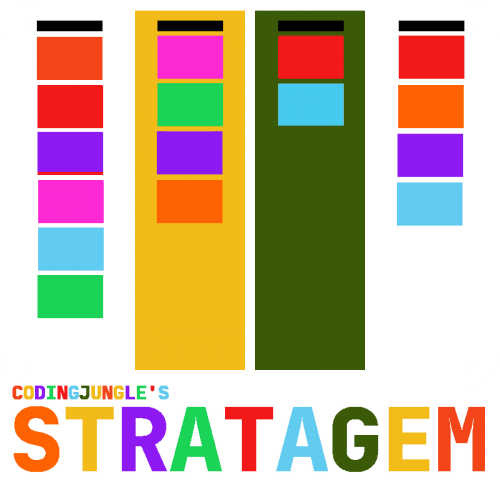
Stratagem is the next-gen project management app for Invision Community, based on the concept of kanban. Plan, manage, and deliver community projects directly from your Invision Community with the project management app Stratagem. Manage – Implement the project of your dreams using the project management tool set of Stratagem. Create unlimited projects with their own unique workflows. Move issues as they get resolved, or remove them into the special Trash Can. Collaborate – Add users to the project team, assign tasks to team members, and watch real-time updates happen as a team member updates a card or column. Automate – Use the built-in automation tools to auto-update issues when they move into a new stage of the project, by either assigning a new due date or assigning a new status. Control – Define the project leader to spearhead the project, manage the members, or restrict access to certain development stages. Use Stratagem to plan your next community project, organize a user meetup, implement site feedback, or launch a new initiative. It can also be used for lists, comparisons, or any other form of visual organization. Kanban Kanban is a visual approach to project management for incremental and continuous improvements. The emphasis is on continual delivery of small items without overburdening the development team. Kanban is a process designed to help teams work together more effectively, by allowing your team members to pick and choose the issues they would like to develop next. The Japanese pioneered the process of kanban for industrial management at Toyota. The visual design is similar to a whiteboard where users can move cards to show progress (kanban translates to “visual card” in Japanese). Features Create unlimited projects for online or offline initiatives, each with their own unique workflow, steps, and issues. The app features: Projects - Create unlimited projects with their own unique workflows, teams and settings. Teams - Give individual or groups (if nexus is installed, you can make teams based on packages from nexus). With teams you can customize each teams permissions/features they have access to the project. Copying - copy projects/columns or cards. Filters - Filter out cards based on several criteria. Columns - organize your projects by columns, each column can represents a step in the process. Cards - Create cards for your task. each card can be progressed and/or resolved. Drag & Drop - almost every aspect of stratagem is based around drag and dropping. Live Collaboration - Columns and cards will periodically update with the need for refreshing, or you can use node.js with socket.io to enable real time updating. as other members of your team create new cards and/or reorder cards, the changes will reflect on all who are connected. Archive - Completed/Discarded cards can be sent to the archive for later reference/recycling in the future. Time/Monetary Tracking - track time on cards, and calculate cost for each card. Budgeting - setup a budget for the project, and watch its progress thru stats & charts. Stats & Charts - Shows progress of a project. History - check the projects history as a hole or per card. Card Colors - have cards automatically create a color, or limit the colors selection in project settings. each card's color can be changed. Card List - Create list on cards to mark off as you progress on a card. Card Comments - leave comments on cards. Card Voting/Rating - select between a thumbs up/down or star rating for voting/rating cards. Card Styles - 2 different card styles to choose from. Due dates - set a due date for a project and cards. IPS Calendar Integration - stratagem will integrate with IPS calendar, showing project/card due dates as events. Column Colors - auto color backgrounds of columns or select Column Automation - Automate certain task for columns, to add/remove badges, assign team members to cards, complete or remove complete status from cards, automatically change card color. Column Restrictions - White list columns to be used by only a one or a handful of team members. this will limit everyones access to a column except the whitelisted members and project manager. Project Locking - Lock a project to prevent further work to be done on it, other than the project manager. Private Projects - hide projects to users who are not team members of the project. Project Clubs - open up project management to clubs. Project Badges - create badges specifically to be used in project. Slack Integration - create a webhook for slack to send notifications to your slack channel. Repository - hook your project up to github/bitbucket to import issues and to link git commits to cards. 2Card - make a forum topic or post a card in a project. if you have downloads plus, you can 2card dplus reports to cards. and much much more Stratagem is beautifully visual with drag-and-drop ordering. Stratagem is beautifully simple, with a design that any member can immediately figure out. Stratagem is beautifully powerful, with workflows and badges that can be custom built to your needs.Free2 points -
I will be coming out with a free new app/tool. I have stripped out a part of the toolbox, the Dev Toy Box, and will be releasing it as a stand alone app. I actually do use these tools quite a bit, but i've noticed toolbox is starting to have issues with php 8.2+, this is largely due to issues with in the IPS 4.x framework (where they are still largely doing things the way you would've done them in php 5.3, that are now deprecated in php 7+). I don't have any inclination to continue to try to fix IPS shortcomings any longer (to clarify this, i think any and all php software should be able to run with E_ALL enabled without suppressing anything. currently IPS doesn't allow this, as it throws a lot of deprecation warnings). Anyway this isn't meant to be a IPS rant, but an announcement to Dev Toys. Dev Toys will take the Dev Toy Box from the toolbox app, and allow you to run it without the toolbox. I can see some limited use outside of development for this app. it will have several tools, including converters, encoders/decoders and generators. I personally use the images converter to convert between png to webp and webp to png or various other formats. Hopefully it will out over the next week or so. again it will be free.2 points
-
.jpg.512d2bfcf5ee481956c3665c21240ed1.jpg) I've decided to give the "subscription" model a chance. I've come up with 3 tiers, with a some additional "packages" to go along with them. Tier monthly: this tier will cost $10 a month and will allow to run any of my available apps on one site. if you need for multiple sites, you can buy additional uses for $5 a month.* Tier Quarterly: this tier will cost $25 every 3 months and will allow to run any of my available apps on one site. if you need for multiple sites, you can buy additional uses for $10 every 3 months.* Tier Lifetime: This tier will give you access to all my apps for a lifetime on one site. it will cost $400, if you need additional sites, you will need to purchase monthly or quarterly tiers. this subscription will not offer additional packages for multiple sites. This package will also have an elevated support to it. it will also be available to limited quantities. Additional Packages: Monthly Addon needs to be purchased if you plan on running any of the apps on more than one site. this package will have a premium of $5 a month Quarterly Addon needs to purchased if you plan on running any of the apps on more than one site. this package will have a premium of $10 every 3 months. Setup Addon have me setup each app on your site elevated support for one month $75 one time fee per site** Premium Support*** 2 hours of premium support $20 monthly * this package will be of limited support and it will also not be perpetual, if you let the package to lapse, the apps will disable themselves. ** this isn't per app, just per site. so if you want the apps to be installed per site and have the appropriate add on, this will acquire an additional charge. *** each tier/package will offer limited support. support can be a timely and costly thing. there are times my app isn't the direct cause. typically the backtrace from the error logs will tell me exactly what i need to know, other times a more involved investigation is needed. I am considering this move involved investigation to be considered premium support. basically if i can not reproduce it on my local hosts (i have 3 of them using docker, in various configurations to test on various platforms), then i will consider this to require additional support/time. This is what i'm thinking, let me know what you guys think. let me know if you think they are too expensive, too ambitious, too whatever or not enough. if you have any questions, feel free to ask or if you have suggestions, feel free to leave them down in the comments.2 points
I've decided to give the "subscription" model a chance. I've come up with 3 tiers, with a some additional "packages" to go along with them. Tier monthly: this tier will cost $10 a month and will allow to run any of my available apps on one site. if you need for multiple sites, you can buy additional uses for $5 a month.* Tier Quarterly: this tier will cost $25 every 3 months and will allow to run any of my available apps on one site. if you need for multiple sites, you can buy additional uses for $10 every 3 months.* Tier Lifetime: This tier will give you access to all my apps for a lifetime on one site. it will cost $400, if you need additional sites, you will need to purchase monthly or quarterly tiers. this subscription will not offer additional packages for multiple sites. This package will also have an elevated support to it. it will also be available to limited quantities. Additional Packages: Monthly Addon needs to be purchased if you plan on running any of the apps on more than one site. this package will have a premium of $5 a month Quarterly Addon needs to purchased if you plan on running any of the apps on more than one site. this package will have a premium of $10 every 3 months. Setup Addon have me setup each app on your site elevated support for one month $75 one time fee per site** Premium Support*** 2 hours of premium support $20 monthly * this package will be of limited support and it will also not be perpetual, if you let the package to lapse, the apps will disable themselves. ** this isn't per app, just per site. so if you want the apps to be installed per site and have the appropriate add on, this will acquire an additional charge. *** each tier/package will offer limited support. support can be a timely and costly thing. there are times my app isn't the direct cause. typically the backtrace from the error logs will tell me exactly what i need to know, other times a more involved investigation is needed. I am considering this move involved investigation to be considered premium support. basically if i can not reproduce it on my local hosts (i have 3 of them using docker, in various configurations to test on various platforms), then i will consider this to require additional support/time. This is what i'm thinking, let me know what you guys think. let me know if you think they are too expensive, too ambitious, too whatever or not enough. if you have any questions, feel free to ask or if you have suggestions, feel free to leave them down in the comments.2 points -
 Where to begin, i thought 2020 was a bad year, but so far 2021 has turned out to be a pretty bad year as well. the year started off with loosing my business, and having to find a new job. then i got the flu, and it took me down for several weeks, and then in early may, i was attacked by a cat on my leg. I kept the wound clean and all seemed to be going fine. it barely hurt, there was no discoloration, there was some slight swelling but it "seemed" fine. then about a week after the attack, after dinner, i got really tired, like to the point, where i "passed" out at my desk and hit my head. I just thought i was just exhausted, as i hadn't gotten that much sleep the last few nights. so i went to bed, then the next 4 or 5 days, i was in and out of it and hadn't realized that 5 days had passed, till my sister showed up one morning, as i hadn't been answering my phone. she thought i was dead, and forced me out of bed and rushed me to the emergency room. The cat bites had become septic and i was very close to death, if my sister hadn't come when she did, i would've probably been dead the next day or so. They admitted me, and started me on a massive amounts of antibiotics. I also went thru 3 surgeries on my leg, to remove damaged or dead tissue and i have a gaping wound and under home wound care (as i have a wound vac attached to my leg to help the wound heal). I will more than likely need to under go another surgery for skin grafts. I was released last week, and i was unable to walk on my own (i required use of a walker or wheel chair, as i was unable to stand for more than a few seconds on my own). All last week, i had a home care nurse for physical therapy come every day, forced me up out of bed, forced me to walk around, and to get me back to doing things on my own. after about 3 days, I realized i no longer need the use of the chair or walker, and that i was able to stand and do a fair bit of walking with only a fair amount of discomfort that went away if i sat down. Today i was able to walk up the 25 or so stairs to go up stairs on my own, it hurt quite a bit, but what is it they say "no pain, no gain", my PT nurse says i've made excellent progress in a very short amount of time. I am also now able to sit at my desk for than a few minutes, so i will be returning back to at least work on my apps and anything else outstanding, as i'm on extended medical leave from my other job atm (as the shop insurance wont cover me if i had any accidents or injured my leg while i was there). so to say the least, i defied death once again, and i am quite eager to start doing something again, as i've been going stir crazy this last month or so (as the hospital wouldn't let me have my laptop, the reason they gave was i needed to rest, so they only left me with my phone and i watch a buttload of youtube and netflix. btw, army of the dead, what a god damn let down.) anyway, i hope you all are well, and if you have any questions, let me know. Like i said, i'm quite eager to be more productive again.2 points
 -
Any updates to the v3 project?2 points
-
sorry must've missed this. i was recovering form an illness and it threw everything into the works into some delays, and now with the 4.2 on the horizon, i'm thinking of releasing 3 shortly after that, but setting up the service stuff now for 2, so things are still rolling.2 points
-
http://www.screencast.com/t/NJdvngYZX this shows the progress of 3 so far: message grouping online list with retained offline pm's online list with offline coming online message row with early styling there are some bugs in the video that you can see can't make it perfect and let you all think i'm a coding god or something let me know what you think of it below edit: gave messages rows some background colors, rounded the edges and gave it a stem.2 points
-
I have been sick for the past few weeks and haven't been able to take care of bug reports or develop much. I am better this week, but still a bit below normal, so i will do my best to get to everyone's issues sometime this week. Regards, Michael2 points
-
Would it be possible to have a little "Who's Chatting" widget like the IPS Chat does? It doesn't have to be anything fancy, even if it just polls every 5 mins or something.2 points
-
This app works great! Thank you for creating it and continuing to update it.2 points
-
I use it on both my sites and everyone likes it very much. Those who don't like it better get them selve a profileimage!2 points
-
Changed Fixed In to Babble 2.2.0 Changed Status to Implemented Feature2 points
-
seems if you move a controller from one module to another module, its acp perm gets removed. I've added it back in for 2.2.0 (which should be released some time this week)2 points
-
turned out better than i thought it would
2 points
-
New Features: MM Style Mobile Menu (similar to the one found in IPS 4.x, there are limitations to this menu, as it only handles menus, so any magic block or application addon features as popular and featured are not displayed. this only applies to the mobile menu however. This is a setting in the group management, by default it will use CJ Menu's mobile menu) add stems to sub menu disable "cloning of menu" import from IPS Navigation (from their menu system, not just import everything) speed improvements2 points
-
https://github.com/codingjungle/storm or https://github.com/codingjungle/storm/releases introducing storm 1.0.0 for dev toolbox for IPS 5. repo link provided, remember do not install on a live site! the first link is for the repo the second is for releases when i do them. i'd highly recommend using the repo to update from, as it includes the dev folder automatically and its usually the one that will contain bug fixes first. i'll create a few different branches. i'll probably have a features branch, so i'll work on new features in that branch, while keeping the sanity of the main branch as "stable".1 point
-
1 point
-
well the best solution is a separate server with its own domain or sub-domain, with its own certs. however you can it is doable. solution 1: the easiest solution would be to change the port babble uses. by default if you are on https, it uses port 443, otherwise port 80. problem on a server running a web server, those 2 ports are already in use and nodejs wouldn't be able to use them. so you would need to open up a port in your servers firewall, a port that isn't used by something else. this has its own set of problems tho, the first one is having to open up another port on your servers firewall. the other problem it opens up, networks often block all ports except 80 and 443, so people on those networks wouldn't be able to connect to babble. like i mentioned, this is most def the easiest solution, its not really the most ideal one. solution 2: in nginx and apache there is such a thing called "reverse proxy" (well in one of them its called that, in the other it has a different name, but i can't remember which or what it is, but its the same thing more or less). basically with the reverse proxy, you setup your webserver to handle the connection to nodejs internally. this one requires a bit of work to setup, on apache it requires a few modules to be installed. in my testing back in the day, i found nginx to be the easiest to setup (as its built in functionality) and it also performed a fair bit better imho than apache does. to me this is the ideal of the two solutions i give here. it doesn't require any ports to be opened, it also looks cleaner. solution ?3 there might be other solutions, it's been since like 2016/17 since i last looked into alternatives. the service really rendered those solutions kinda moot, as everyone on the self hosted version jumped ship for the service. was gonna have the live events be a "customized" room, that would be open to everyone (or restricted if you wanted it). then at the end of it, you'd issue a command to close it down, and the room would disappear and its content would be added to pages (if it is installed, or give you an option to have it just archive itself and/or to pages). it would be fun to try to add a chat bot to it. it has 'bots' but nothing too complex, but get one of these natural language models like chatgtp or tabbyml (which is free, and customizable, but would require its own setup too, but i haven't played with tabby's chat ability). babble is very customizable. you can set it up where you can have private rooms, private messages, rooms have a ton of configuration to them, there are "bots" (even the ability to add in your own custom bots), command (ability to add in custom commands), there are also different layouts for it, which i might remove. the "global bar" was never popular, even tho i thought it was cool as hell . it will make building it easier if i took out the global bar. anyway, if you have anything more specifi in mind, don't shy away, let me know.1 point
-
Such a vital application which makes it easier to run and organise your forum/site. Having Stratagem as a project manager, allowing you to delegate tasks in an easy-to-follow method, does make it a lot easier to understand and see how your site is progressing. Doing such via the forums can be time-consuming; this is a simpler and easier way to go about it. I am very pleased to see Stratagem back; it's an excellent tool.1 point
-
Version 2.0.0
2 downloads
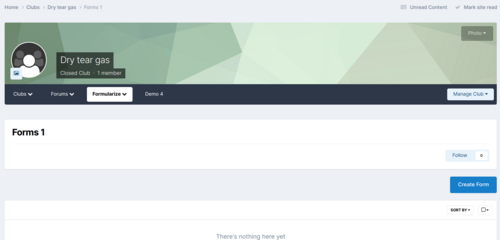
Club Enhancements: Menu This adds in a more advanced menu system for clubs. Menus can be moved and re-arranged into various parent and sub menu groups. You can also create new groups to put menu items into.Free1 point -
I was hoping to have had at least a beta released before the 4th, but i'm having issues with the license system in nexus. I'll work on it over this weekend and hopefully i will have it up monday1 point
-
Would anyone be interested in me doing my work as a streaming session? like a few hours a week, just having me talk about what i'm doing, get an idea of what i do, how i do it and possibly why i do it. it would give you all a chance to see a progress of an app/development and get to know me as i'm sure i will try to make it entertaining, with stories and jokes and what not. let me know what you all think about this idea.1 point
-
Changed Status from Waiting to Work in Progress1 point
-
Changed Status from Waiting to Work in Progress1 point
-
Good morning. I Notice that the North American server is not working. This sites chat is also down. Regards1 point
-
wasn't changed, it was fixed1 point
-
not atm, but the basic command works identical to the way they use to. so you could create new command, select "basic". for the content, do something like this: #user# slaps #msg# then for the command help, have /slaps <username> some message so when they did /slaps bob with a big stick it would parse out to: michael slaps bob with a big stick or you can just have the #msg# be the user name and add your own phrase for it: #user# slaps #msg# with a wet noodle so they can do: /slaps bob and it will print out: michael slaps bob with a wet noodle. you don't have to end there, you could always create one where they can insert their own message, and then have predefined ones like /slapFish /slapNoodle, etc. i should add a setting in the commands however, that makes a second parameter a requirement, just thought nothing is stopping them from doing /slaps without a second argument. I'll try get a more detailed guide out for advanced and basic out this weekend (been busy tackling this online list issue that still creeping up).1 point
-
Seems to be gone now thanks for prompt fix1 point
-
.cBabbleUserMain { width:250px!important; } this is a short term fix, but you can adjust the width by adding this to your custom.css (adjust to the width you desire, i think the default IPS css gives it a width of 200px, it looks like you just need a slight width increase). in v3 the name will be above the messages, so this wont be an issue (hopefully).1 point
-
the chat service is now live, so if you are a self hosted and wish to join the service send me a PM . as for self hosted, i will be adding clubs to the self hosted here in a few days. i haven't forgotten about it1 point
-
Similar to Moderator reports, I'd like to suggest marking the member reports for DML as "complete" or "archive." This means they'll appear in a separate / non-active category, but will still be saved for future reference. The reason why I bring this up is because I feel like I'm flagging an account today on a certain member that I flagged many months ago, but I have no record of it. At the same time, I don't want the current report to continue being listed in DML.1 point
-
i've edited your previous reply, in the spoiler you will see a line i've marked in red. place it after that one.1 point
-
might add unwanted load, as the "filter bar" is just generated out of an array, but i will see what i can do. maybe have that array built as the keywords are added or have a button you can push in the ACP that can regenerated it. we will see1 point
-
its been implemented in 2.1.11 point
-
[Joel] Who needs fancy badges when you can use fake prefixes. [Eyeroll] Am I right??1 point
-
Looks good mate - well done so far1 point
-
it should also be failing gracefully and not causing double posting either, i'll check the exceptions, make sure they are being caught properly.1 point
-
Suggestion: Please add a front-end notification for the administrator or moderators, so they know to review any potential duplicates.1 point
-
Changed Fixed In to CJ Duplicate Member Logger 1.0.10 Changed Status to Closed1 point
-
@Michael Working fine now with the 1.0.6 version. Many thanks for the support.1 point
-
some how the settting entry got lost, so it had nothing to save too and so it was just defaulting to the default value each time. it appears to be the only one to have done this, I'll verify the other settings before release to make sure.1 point
-
Yes this is intended behavior. I should change the reports of whats been fixed, so instead of showing "guest" (as part of the confusion to why guest would show up), the member_id will display instead. you can remove these.1 point
-
odd, it should tar should contain all the libs for babble.js, there is a package.json, if you installed npm, try running this command in that directory: npm install I've attached the node_modules that i use, you can extract them to the Node folder, and try starting it again: node babble.js node_modules.tar.gz1 point
-
I couldn't reproduce this one. the default order is oldest to newest, then when you filter thru the filter bar, it all works as intended on my end.1 point
-
This has been fixed, there was a problem with the matching function, the fix will be in the next version. This one will be a problem, as it matches whole words first and it is configured to match the keyword first over the alias. the alias field is meant for different keywords to be used, not so much for the keyword itself to be used in the alias. I'll see what i can do to try to change this, it really will come down to a cost vs gain situation, as the app does the conversion on the fly, and i do everything i can to make the process as fast and efficient as possible so it doesn't slow down page loads, and a heavier regex would do just that. so this might not be a feasible thing to implement, I'll see what i can do. i can add a list to the ACP to show the keywords, but individual settings like this would slow down the process tremendously and that is something i don't see happening. I'll do a few test to see what the cost vs benefit would be. the tooltip content area is a codemirror editor, you can use HTML/BBC (i have it running thru the IPS Text parser, so if the user doesn't have the group permission to use any html, it will clean it out, but it wont cleanse the html if the user does have HTML permission). I went with a codemirror helper over the RTE helper cause it offers better highlight of HTML than the RTE does, and the RTE does add some undesirable HTML at times.1 point